Guide
How parallel Claude Code sessions use your usage limits
On a Pro or Max plan, every Claude Code session you run draws on the same allowance. Running four sessions does not give you four allowances; it spends the one you have faster. This guide covers what Anthropic says counts against the limits, where to see how much you have left, and what Paneherd adds. It applies to subscription plans. Anthropic's article gives no message counts, so the per-session figures below that come from Paneherd are estimates.
What the limits are
Anthropic's usage limits article (checked 19 October 2026) says paid plans have a session limit that resets every five hours and weekly limits that reset once a week. Different plans have different allowances, and the page gives no fixed message counts. Usage across claude.ai, Claude Code and Claude Desktop counts toward the same limit.
What spends it
The same article names the factors: the length and complexity of your conversations, the features you use, the model, and the effort level. Longer conversations that trigger automatic context management use more of the limit, tools and connectors are called token-intensive, and higher effort uses more tokens. Claude Code's agent view documentation adds that background sessions use your subscription quota the same way interactive sessions do.
For parallel work that adds up to a simple rule: each session spends on its own conversation, at the same time, from one pool, and the long-running ones spend more.
Where to see what is left
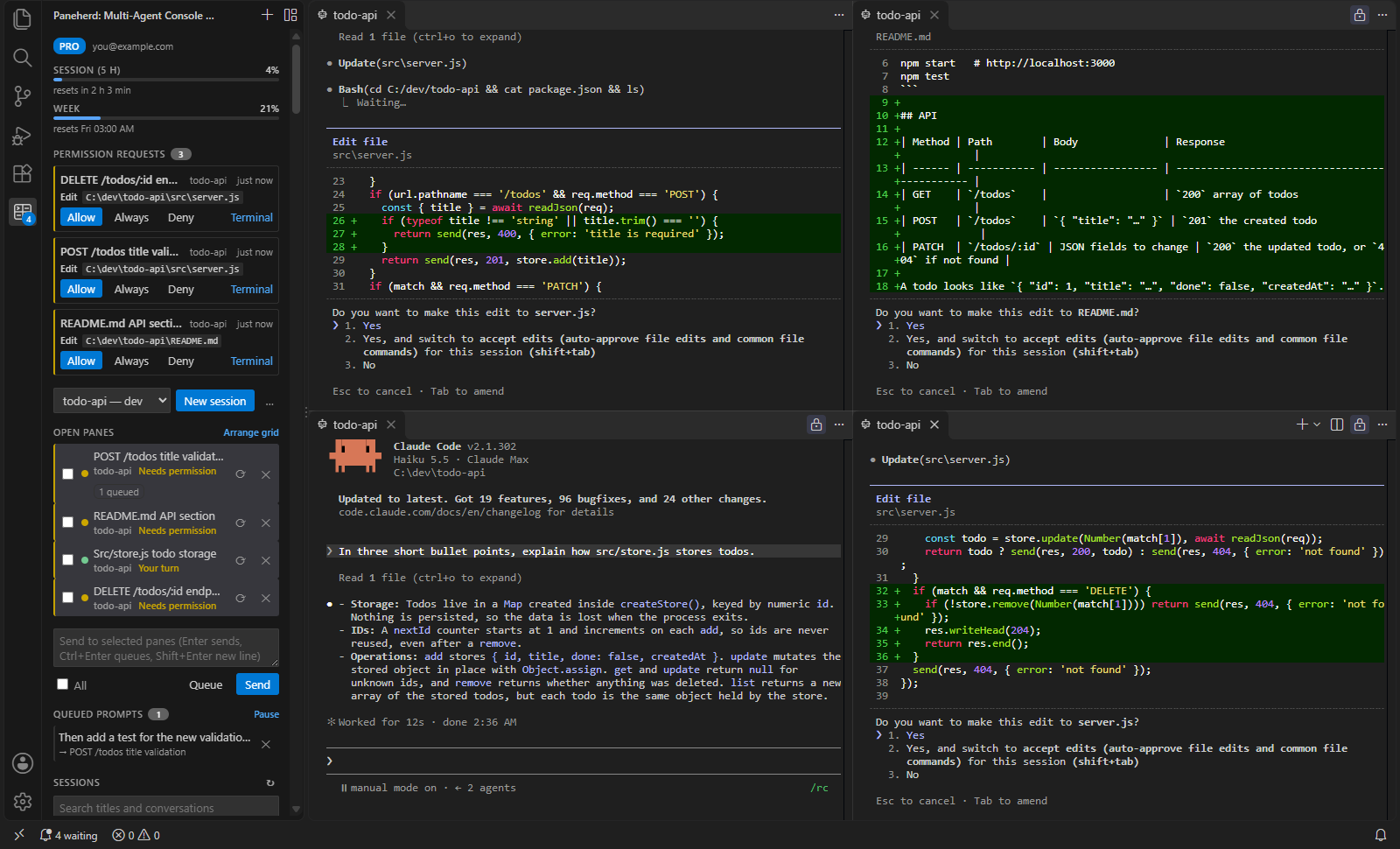
In Claude Code, /usage shows session cost, plan usage limits and activity stats, and on a Pro, Max, Team or Enterprise plan it includes a breakdown of what counts against your plan limits. On Pro and Max plans Claude Code also reports the five-hour and weekly figures, with their reset times, to custom status lines. Paneherd reads those figures and shows them at the top of its sidebar, so they stay in view while you work across panes.
Which session is spending it
Claude Code reports one figure for the whole plan, not one per session. Paneherd estimates the split from the sessions' own transcripts. It adds up the tokens each open pane has used in the current five-hour window, weights them by model (a larger model counts for more than a smaller one, and output counts for more than input), and divides the reported percentage in that proportion. It shows the result as an approximate share on each pane. The weights are Paneherd's own approximation of relative cost, not Anthropic's accounting, so treat the shares as a way to spot which session is the heavy one, not as a bill.
The Pro version also draws a forecast: from the pace of the last 30 minutes, where the five-hour figure will be when the window resets. That is a projection, and it moves when you start or stop a session.
Spending the allowance well
- Start a new session for a new task instead of continuing a long one; long conversations use more of the limit.
- Match the model and effort to the task. Both are named factors, so routine edits do not need the largest model at the highest effort.
- Turn off extended thinking when you do not need it. Anthropic's article suggests this as a way to save usage.
- Check before you add another session, not after the limit hits. Every extra session draws on the same five-hour window.
- Stop sessions that loop. A session repeating the same failing call spends usage and produces nothing; Paneherd flags a pane that repeats a call or fails several in a row.
More on running sessions side by side: how to run multiple Claude Code sessions at once and handling permission prompts across sessions.